 Image 1 of 1
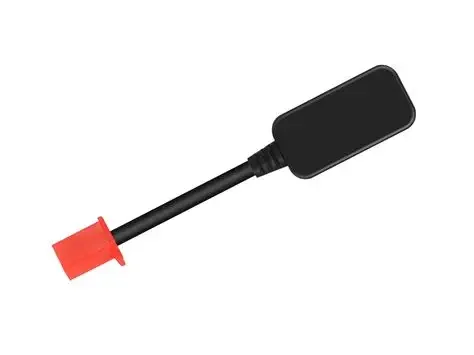
Connect to your Fardriver controller with an Android or Apple device via Bluetooth.
Important safety note: changing settings can damage your controller or other components if not done correctly. We are not responsible for your tune — every bike and build is different. Proceed only if you understand the risks and know what each setting does.
Quick connection steps
Power on your Fardriver controller and the bike.
Enable Bluetooth on your Android or Apple device.
Open the Fardriver app (or compatible tuning app) on your device.
In the app, scan for nearby devices and select your Fardriver controller from the list.
If prompted, enter the pairing code shown by the app or controller documentation.
Once paired, confirm the app shows live data (battery voltage, motor current, speed, etc.) before making changes.
Before you change anything
Take photos or notes of default values.
Make one change at a time and test ride gently after each change.
If you’re unsure, consult a professional or reach out to experienced members of the community or YouTube
Common settings to be cautious with
Max current/phase current: Increasing can boost power but risks overheating motor, MOSFETs, and batteries.
Battery cutoffs and voltages: Incorrect values can over-discharge or over-charge battery packs.
Throttle response and ramp rates: Too aggressive settings can cause loss of control.
Regen/braking strength: Excessive regen can overheat controller or cause unstable braking.
Motor timing/commutation: Wrong timing can cause overheating, noise, or motor damage.
If something goes wrong
Revert to backed-up/default settings immediately.
Power down and inspect wiring, connectors, and components.
We sell plug-and-play parts and provide help videos to keep your build safe and reliable but are NOT responsible for your tune.
Free Shipping - Ships Next Day
Connect to your Fardriver controller with an Android or Apple device via Bluetooth.
Important safety note: changing settings can damage your controller or other components if not done correctly. We are not responsible for your tune — every bike and build is different. Proceed only if you understand the risks and know what each setting does.
Quick connection steps
Power on your Fardriver controller and the bike.
Enable Bluetooth on your Android or Apple device.
Open the Fardriver app (or compatible tuning app) on your device.
In the app, scan for nearby devices and select your Fardriver controller from the list.
If prompted, enter the pairing code shown by the app or controller documentation.
Once paired, confirm the app shows live data (battery voltage, motor current, speed, etc.) before making changes.
Before you change anything
Take photos or notes of default values.
Make one change at a time and test ride gently after each change.
If you’re unsure, consult a professional or reach out to experienced members of the community or YouTube
Common settings to be cautious with
Max current/phase current: Increasing can boost power but risks overheating motor, MOSFETs, and batteries.
Battery cutoffs and voltages: Incorrect values can over-discharge or over-charge battery packs.
Throttle response and ramp rates: Too aggressive settings can cause loss of control.
Regen/braking strength: Excessive regen can overheat controller or cause unstable braking.
Motor timing/commutation: Wrong timing can cause overheating, noise, or motor damage.
If something goes wrong
Revert to backed-up/default settings immediately.
Power down and inspect wiring, connectors, and components.
We sell plug-and-play parts and provide help videos to keep your build safe and reliable but are NOT responsible for your tune.
Free Shipping - Ships Next Day